
YOUR GAMES.ONE LAUNCHER.NO LOGINS.
Offline-first Windows PC game library and launcher. Unifies 8 storefronts (Steam, Epic Games, GOG, EA Games, Ubisoft, Xbox, Amazon Games, and Standalone) plus 22+ local scanners without mandatory account linking, with duplicate consolidation, 3-backup ZIP save protection, and 5-theme Console Mode.
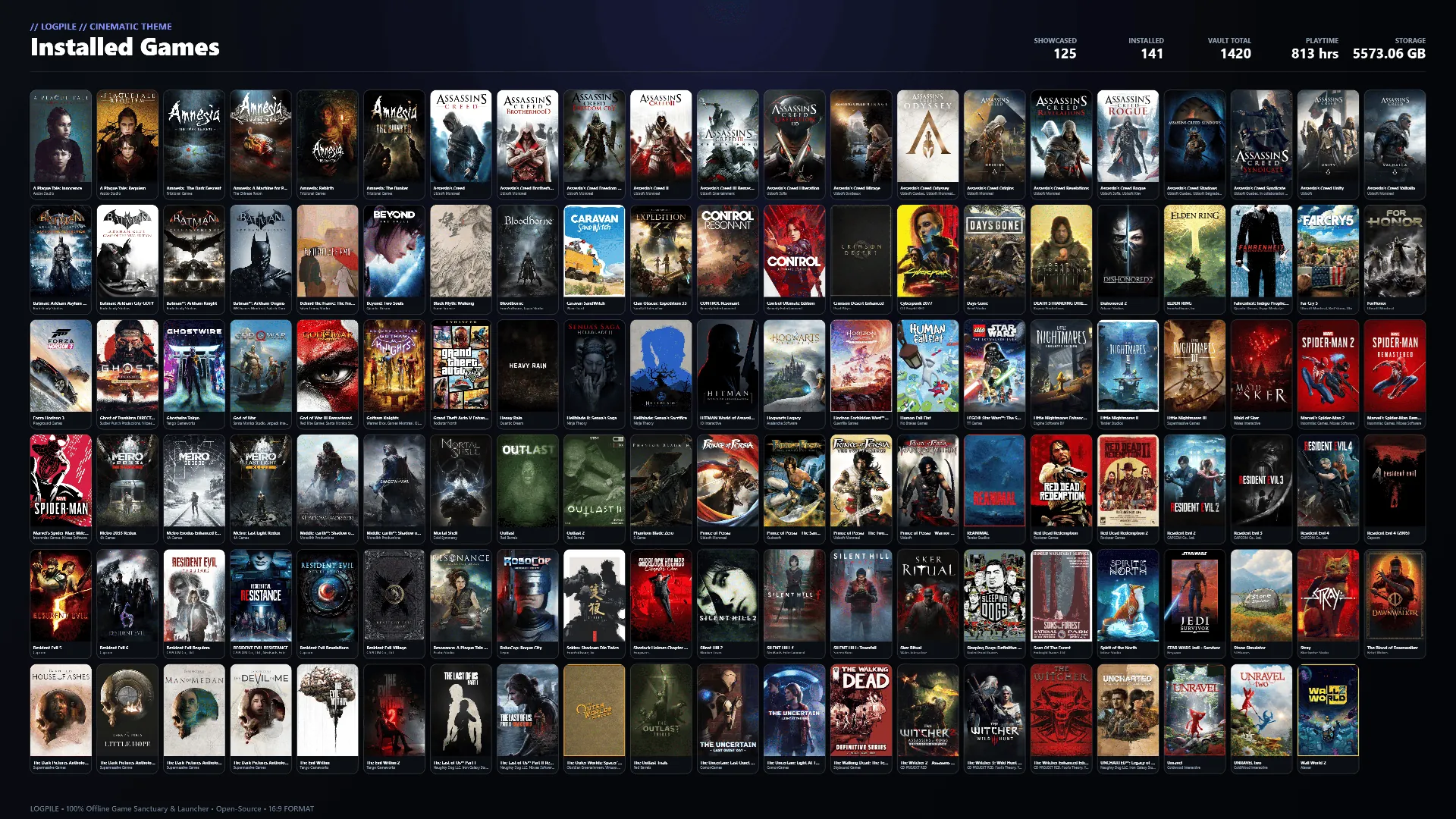
Built for Local Control, Without Account Lock-In.
Every core tool ships inside Logpile v1.3.98. Discover games locally across 8 supported storefronts and 22+ scanners without sharing store credentials, consolidate duplicates with badges, protect local saves up to 3 ZIPs per game, and play from desk or couch.
Drive Recovery & 3-Backup Local Save ZIPs
Logpile supports portable drive recovery ({{PORTABLE_ROOT}}) when Windows changes external drive letters—noting that a library rescan is required to refresh executable info. Built-in save watching also creates automated local save-game ZIP backups with a 3-backup retention cap per game.
E:\Games\Elden Ring\game\eldenring.exeDuplicate Consolidation & Storefront Badges
Same game on Steam, Epic Games, and GOG? Logpile consolidates duplicate titles and editions into one entry displaying multiple storefront badges. When copies are installed across two or more stores on disk, the Duplicate Installs Advisor flags reclaimable drive space.
Consolidates multi-store ownership badges (e.g. Rockstar + Epic Games) and offers quick Open Folder or Uninstall links when redundant copies occupy drive space.
Full Controller Operation & Big Picture Console Mode
Navigate Desktop or integrated 10-foot Big Picture / Console Mode across 5 themes (Cinematic, Atmospheric, Competitive, Kinetic, and Playful) using a controller, keyboard, or mouse. Adapts prompts for Xbox, PlayStation, and Nintendo-layout controllers with an On-Screen Virtual Keyboard.
PresentMon + HWiNFO HUD & Custom CSS Studio
Track FPS, 1% lows, frame times, CPU-LIM flags, clocks, and temps across DX11/DX12/Vulkan with Intel PresentMon and HWiNFO. Customize visuals across 5 core themes, 8 bundled JSON themes, and a live Custom CSS Studio with .css import/export.
Medical Cyberpunk Waveform Overlay
8 Supported Storefronts & 22+ Local Scanners
- 8 supported storefronts (Steam, Epic Games, GOG, EA Games, Ubisoft, Xbox, Amazon Games, Standalone) plus 22+ local publisher, registry, and custom-folder scanners
- No mandatory storefront account linking or credential sharing for local game discovery
- Duplicate game consolidation with multiple storefront badges and Duplicate Installs disk advisor
- Drive recovery when drive letters change (rescan required to refresh executable info)
- Steam Family in-use detection before launch
- Full controller operation and Big Picture / Console Mode across 5 themes (Cinematic, Atmospheric, Competitive, Kinetic, Playful)
- Automated local save-game ZIP backups with a 3-backup retention cap per game
- Optional BYOM (Bring Your Own Model) local GGUF AI (quality and performance depend on model and hardware; toggleable off)
- Intel PresentMon + HWiNFO in-game telemetry HUD overlays (50+ styles) and Custom CSS Studio
- Emulator & ROM library support (Upcoming / WIP — not live in current release)
- Cross-store offline achievement tracking (Upcoming / WIP)
Themes, Sanctuary Dashboard & Console Worlds.
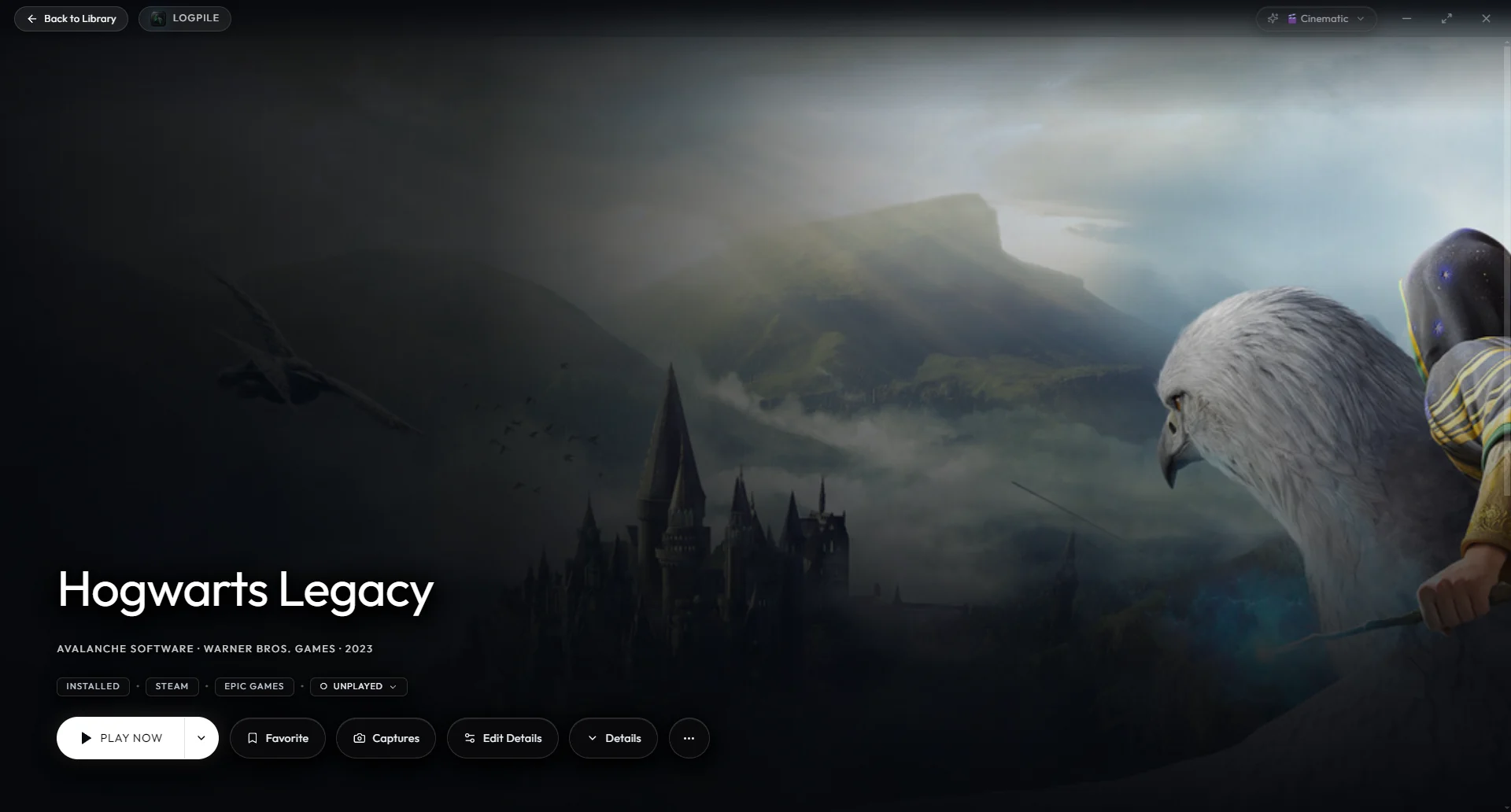
Widescreen hero artwork with letterboxed game cards on Desktop, paired with a full-bleed screening room hero and marquee in Big Picture Console Mode.
How Logpile v1.3.98 Compares to Playnite, LaunchBox, GOG Galaxy & Steam
| CAPABILITY | LOGPILE v1.3.98 | PLAYNITE | LAUNCHBOX | GOG GALAXY | STEAM CLIENT |
|---|---|---|---|---|---|
| Model & License | Free, MIT open-source, offline-first (Windows 10/11) | Free, MIT open-source, offline-capable (Windows) | Freemium (free Desktop, paid Big Box), closed-source | Free, closed-source storefront client | Free, closed-source storefront & platform |
| Account Linking for Local Discovery | None required (no credential sharing) | Optional for local scans; store logins needed for full library sync | Optional for local scans; logins needed for store imports | GOG account required to use client | Steam account login required |
| Storefronts & Detection Scanners | 8 storefronts (Steam, Epic, GOG, EA, Ubisoft, Xbox, Amazon, Standalone) + 22+ local scanners | Major stores via built-in/community plugins + folder/exe scans | Built-in storefront importers + strong ROM/folder scanning | GOG built in + community integrations | Steam native; manual non-Steam shortcuts for other clients |
| Duplicate Game Consolidation | Consolidates editions with multi-store badges + Duplicate Installs storage advisor | Manual hiding or plugin-assisted grouping | Duplicate checks; no cross-store reclaim advisor | Groups linked copies across connected accounts | No cross-store deduplication |
| Drive Letter Recovery | Drive recovery on drive changes (rescan required to refresh executable info) | Relative paths in portable mode; manual fix/rescan for fixed drives | Relative paths in portable setup; manual updates otherwise | Fixed paths per store client | Steam Library Folder configuration per drive |
| Steam Family In-Use Detection | Built-in pre-launch Steam Family in-use check | Not built in | Not built in | Not built in | Native Steam Family status inside Steam |
| Controller & Big Picture / Console Mode | Full controller operation + 5-theme Console Mode (Cinematic, Atmospheric, Competitive, Kinetic, Playful) | Free Fullscreen mode with full controller nav & community themes | Paid Big Box mode with full controller navigation | Desktop interface only | Native Steam Big Picture & Steam Input |
| Automated Local Save Backups | Built-in local ZIP backups (3-backup retention cap per game) | Supported via community plugins (e.g. Ludusavi) | Via external tools or plugins | Cloud saves for supported GOG titles | Steam Cloud for supported Steam titles |
| In-Game Telemetry HUD | Built-in Intel PresentMon + HWiNFO overlays (50+ styles) | External tools (e.g. RTSS) | External tools | No built-in telemetry overlay | Built-in basic performance overlay |
| Optional AI Support | Optional BYOM local GGUF AI (depends on model & hardware; toggleable off) | Community add-ons if installed | Not built in | Not built in | Not built in |
| Emulator & ROM Support | Upcoming / Work in Progress (not live in v1.3.98) | Built-in emulator support + EmuLibrary | Core strength (ROM scraping, MAME & RetroArch) | Manual executables only | Via Steam ROM Manager / non-Steam shortcuts |
| Cross-Store Achievements | Upcoming / Work in Progress | Supported via SuccessStory plugin | RetroAchievements & Steam integration | Supported across connected accounts | Steam achievements only |
Frequently Asked Questions.
[OVERVIEW]What is Logpile?
What is Logpile?
Logpile is an offline-first Windows PC game library and launcher licensed under the MIT License. It scans installed PC games locally into an embedded SQLite database (logpile.db), consolidates multi-store duplicates with badges, tracks HowLongToBeat backlog hours, backs up saves locally, and switches between Desktop and Big Picture Console Mode.
[PRICING & LICENSE]Is Logpile free and open source?
Is Logpile free and open source?
Yes. Logpile is free and open source under the MIT License in its GitHub repository, with no paid upgrade tier for Console Mode, save backups, or themes.
[ACCOUNTS & OFFLINE]Does Logpile require storefront account linking or credential sharing?
Does Logpile require storefront account linking or credential sharing?
No mandatory storefront account linking or credential sharing is required for local game discovery. Logpile reads local manifests, registry records, and user-chosen scan folders on disk. Internet access and official store clients are only needed when installing unowned/uninstalled games, fetching optional metadata/artwork, or launching online DRM titles.
[STOREFRONTS & SCANNERS]What is the difference between Logpile's 8 storefronts and 22+ scanners?
What is the difference between Logpile's 8 storefronts and 22+ scanners?
In v1.3.98, Logpile supports 8 core storefronts: Steam, Epic Games, GOG, EA Games, Ubisoft, Xbox, Amazon Games, and Standalone. Alongside those 8 storefronts, it runs 22+ local detection scanners for publisher/indie clients (itch.io, Battle.net, Riot Games, Rockstar Games, CD Projekt REDlauncher, Humble, HoYoPlay, Legacy Games, Wargaming, Netmarble, NetEase, Gaijin, Nexon, Kuro Games, Roblox), Windows registry entries, and Custom Game Scan Folders.
[DEDUPLICATION]How does Logpile handle duplicate games across multiple stores?
How does Logpile handle duplicate games across multiple stores?
Logpile consolidates matching titles and editions owned or installed across multiple storefronts into a single game entry displaying multiple storefront badges. Its Duplicate Installs Advisor also highlights titles installed on two or more sources on disk and calculates reclaimable drive space.
[DRIVE RECOVERY]How does drive recovery work when drive letters change?
How does drive recovery work when drive letters change?
Logpile includes portable drive path recovery ({{PORTABLE_ROOT}}) when Windows reassigns drive letters on external or portable SSDs. A library rescan is required after drive-letter or folder changes to refresh executable info and verify updated paths.
[STEAM FAMILY]How does Steam Family in-use detection work?
How does Steam Family in-use detection work?
Before you launch a Steam title, Logpile checks local Steam Family sharing status on the Game Dossier and alerts you when that shared copy is currently in use by another family member.
[CONTROLLER & CONSOLE MODE]Does Logpile support full controller operation and Big Picture Console Mode?
Does Logpile support full controller operation and Big Picture Console Mode?
Yes. Logpile offers full controller operation across both Desktop view and integrated Big Picture / Console Mode (F11, Ctrl+Shift+F, or the Console Mode button), with auto-detected Xbox, PlayStation, and Nintendo-style glyphs plus an On-Screen Virtual Keyboard.
[THEMES & HUDS]Which themes and telemetry HUDs are built into Logpile?
Which themes and telemetry HUDs are built into Logpile?
Logpile ships with 5 theme identities—Cinematic, Atmospheric, Competitive, Kinetic, and Playful—each featuring its own Desktop aesthetic and dedicated Console Mode layout, plus 8 bundled JSON themes, a live Custom CSS Studio, and 50+ Intel PresentMon + HWiNFO in-game HUD overlay styles.
[SAVE BACKUPS]How do automated local save-game ZIP backups work?
How do automated local save-game ZIP backups work?
Logpile watches configured local save directories and creates automated timestamped ZIP backups with a 3-backup retention cap per game (rolling oldest archives off automatically) so you can restore an earlier local save if needed.
[BYOM AI]How does optional BYOM (Bring Your Own Model) AI work?
How does optional BYOM (Bring Your Own Model) AI work?
Logpile supports optional BYOM (Bring Your Own Model) local GGUF inference via node-llama-cpp for backlog chat and CSS/HUD theme assistance, plus an Enable Local Gaming AI toggle in Settings to hide all AI UI completely. Output quality, accuracy, and speed depend directly on the user's chosen model and PC hardware.
[EMULATORS & ROADMAP]Does Logpile support emulators or cross-store achievements yet?
Does Logpile support emulators or cross-store achievements yet?
Not yet. Emulator support and cross-store offline achievement tracking are both upcoming / Work in Progress and are not shipped in the current release. If you need emulator management today, Playnite or LaunchBox are better fits.
System Specs & Release History.
Install in place over an older build while keeping your database and saves intact, or extract the portable zip to any internal or external drive.
Logpile.Setup.1.3.98.exe / Logpile-1.3.98-win.zipDiscovers installed titles across 8 storefronts plus 22+ publisher, registry, and custom-folder scanners without account linking, or imports backlogs via Excel / CSV.
./logpile_data/logpile.dbOptionally attach your own GGUF model in /models (quality and speed depend on your chosen model and hardware), customize themes via .css/.json, or disable AI UI completely.
./models/*.gguf + Custom CSS Studio- Added In-App Uninstall Game... modal supporting Steam, native Windows uninstallers (UAC), and confirmed portable folder deletion with optional save-backup archiving.
- Added universal 25-scanner uninstall reconciliation, automatic .exe resolution on Play, and live Steam steamapps/ watching for Steam Move and uninstalls.
- Added automatic cross-platform duplicate consolidation on startup and rescan, plus faster cached folder-size rescans for low-end PCs.
- Encrypted SteamGridDB & IGDB API keys via Windows DPAPI (safeStorage), enabled Electron sandbox: true across all windows, and bundled Intel PresentMon MIT notice.
- Fixed Full View (Whole Page PNG) capture on Game Dossiers for seamless top-to-bottom snapshots without hero duplication.
- Consolidated duplicate Snap and Brag buttons into the unified Brag menu across Game Dossier, Dashboard, and Today's Pick.
- Scoped Full View captures cleanly to finite views while keeping Visible Window PNG and 4K Showcase Collages on Library grids.
- Aligned Windows installer artifact naming (Logpile.Setup.1.3.97.exe) across release builds and updater metadata.
- Added Epic Games v2 dual-scanner combining local manifests (.item) with installations.jsonl paths.
- Added native Netmarble Launcher and NetEase LoadingBay registry discovery alongside Storefront Filter isolation.
- Added 4K Brag Showcase Gallery & Full-Page Dossier snapshot capture studio with synchronous scrolling.
- Fixed EA title normalization and Game Dossier franchise matcher handling.
- Expanded local discovery across the 8 core storefronts plus 22+ publisher, indie, registry, and custom-folder scanners.
- Added Custom Game Scan Folders in Settings for portable SSDs and standalone installs.
- Added Duplicate Installs & Storage Saver advisor to spot copies installed across 2+ sources and show reclaimable disk space.
- Added Store Filter Placement option (Sidebar Groups vs. Library Filter Bar).
- Built 5 separate Big Picture Console Mode interfaces (Cinematic, Playful, Atmospheric, Kinetic, Competitive), each with its own layout and Today's Pick view.
- Added full controller navigation across Desktop and Console views plus auto-detected Xbox, PlayStation, and Nintendo-style button prompts.
- Added On-Screen Virtual Couch Keyboard, Push-to-Talk [R3] voice controls, and Enable Local Gaming AI toggle to hide AI UI completely.
- Added optional synthesized controller navigation audio and configurable Escape key behavior.
- Added live Custom CSS Theme Studio with .css import/export and 8 bundled community JSON themes.
- Added full-page Settings PNG snapshot capture and 4K showcase collage export.
- Expanded hardware telemetry display and theme palette overrides.
- Integrated PresentMon-x64 ETW telemetry for FPS, 1% lows, frame times, and CPU-LIM flags across DX11, DX12, and Vulkan.
- Added HwInfoReader shared memory bridge for live CPU package thermals and clock speeds alongside Admin privilege detection.